Firmware 1.8.0, now shipping on every USB
The biggest SCOUT Vision advancement yet: seven dedicated field scan modes with structured triage cards, danger flags, and confidence ratings. Plus faster inference, smarter hardware utilization, real-time adaptation, and a deep bug-squashing pass.
Every new PortableMind USB ships with Firmware 1.8.0 preloaded. Voice, SCOUT Vision, Phone Access, the desktop-app launcher, chat history, and AES-secured import/export, all running locally on your machine.
New in this build
Firmware 1.8.0 is the current shipping build: the advanced SCOUT Vision with seven field modes and structured triage cards, faster performance across chat, voice, and SCOUT, fuller hardware utilization with real-time adaptation, and a deep bug-squashing pass.
- SCOUT Field Modes: seven dedicated scan modes, General, Plant ID, Mushroom, Bug, Tracks, First Aid, Read Text.
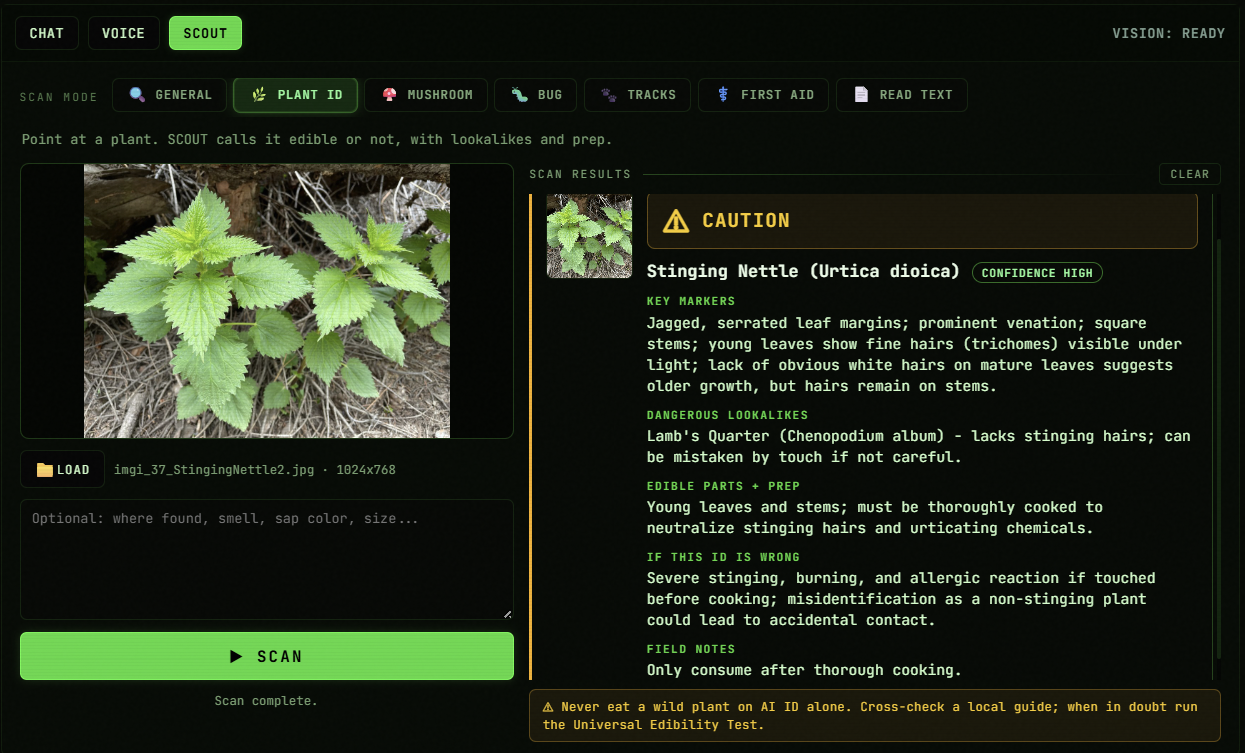
- Structured SCOUT triage cards: verdict banner, key markers, dangerous lookalikes, confidence rating, field notes.
- Fine-tuned vision stack with danger-first safety guardrails on every identification.
- Faster performance across chat, voice, and SCOUT, snappier model loads and switching.
- Better hardware utilization: fuller use of available VRAM and CPU threads.
- Smart adaptation: routing, context size, and workload placement adjust to your machine in real time.
- Deep bug-squashing pass across the whole runtime.
Launches as a desktop app
PortableMind opens as a dedicated desktop application on both macOS and Windows 10/11. No browser tabs, no terminal commands, just double-click and you're in. Voice, vision, and chat are all accessible from one clean window.
Firmware 1.8.0 feature set
Firmware 1.8.0 ships a massively advanced SCOUT Vision: seven field scan modes (General, Plant ID, Mushroom, Bug, Tracks, First Aid, Read Text), each returning a structured triage card with key markers, dangerous lookalikes, confidence ratings, and safety-first verdicts. The whole runtime also got faster, uses your hardware more fully, and adapts to your machine in real time. All local, all private. No cloud. No telemetry. Everything runs on your machine.
SCOUT Field Modes
SCOUT is no longer one generic vision box. Pick a dedicated scan mode, General, Plant ID, Mushroom, Bug, Tracks, First Aid, or Read Text, and get an answer structured for that exact job, entirely offline.
Fine-Tuned Vision
The vision stack behind SCOUT got a major fine-tuning pass. Identifications are sharper and every scan states its confidence plainly, with an explicit "if this ID is wrong" risk line so you always know the stakes.
Faster Performance
A performance pass across the whole runtime. Chat, voice, and SCOUT all respond faster, model loads and switches are snappier, and the app feels lighter on the same hardware you already own.
Better Utilization + Smart Adaptation
The runtime now makes fuller use of the VRAM and CPU you actually have, and continuously adapts model routing, context sizing, and workload placement to your machine and what you're doing, no config needed.
Bug-Squashing Pass
A deep stability sweep across the codebase. Crash fixes, leak fixes, and cleaner error recovery in chat, voice, and SCOUT, so the runtime shrugs off the edge cases that used to trip it up.
Everything from 1.7
Model Manager, the Qwen 3.5 roster, multi-modal chat, GPU-accelerated voice, Phone Access, thread history, AES-hardened import/export, and the offline Field Manual all remain intact. Nothing was removed to make room.
Eight screens from the running app
These are stills from the firmware 1.8.0 desktop app, actual frames, not mockups. Click any tile to view full-size.
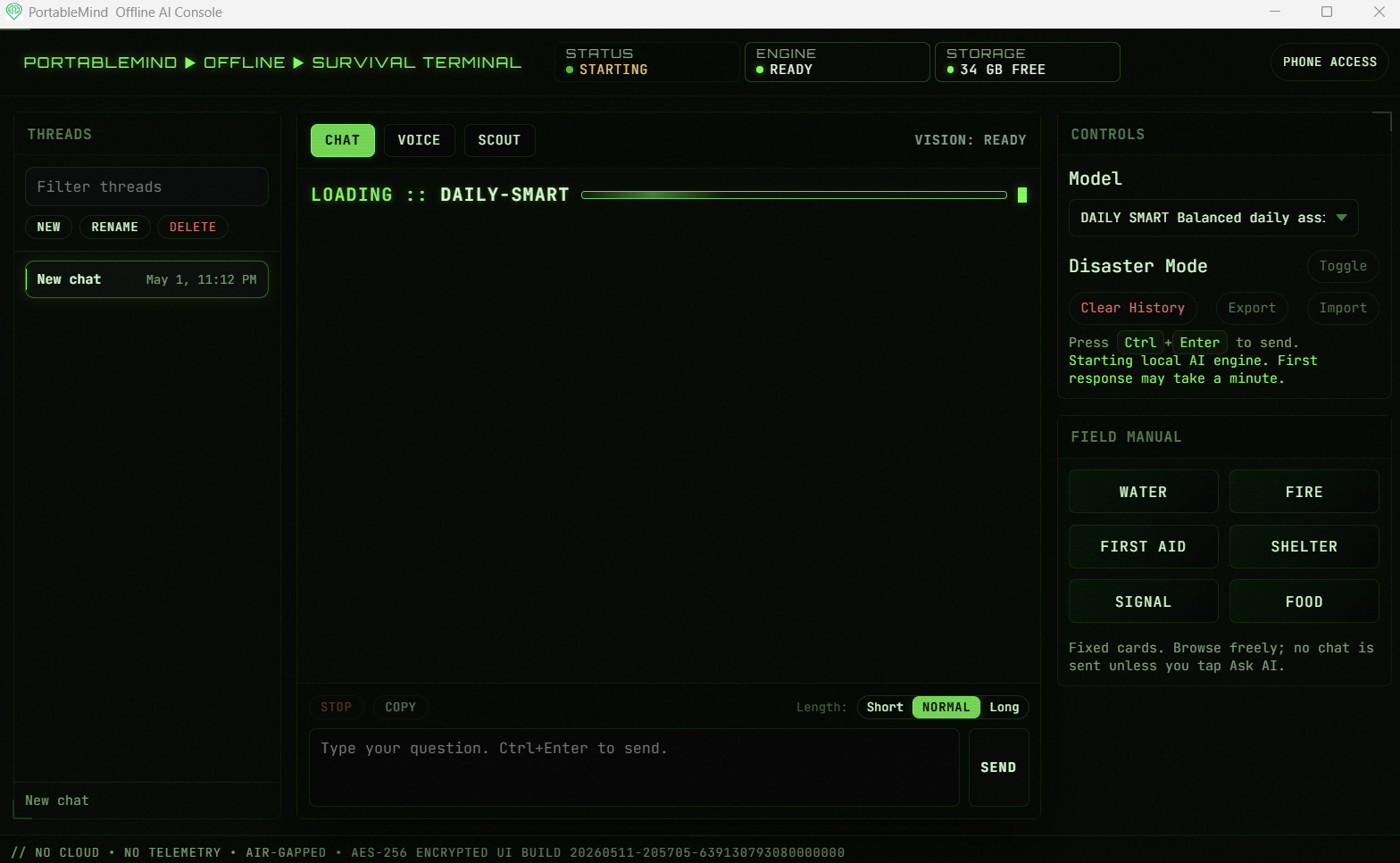 Chat
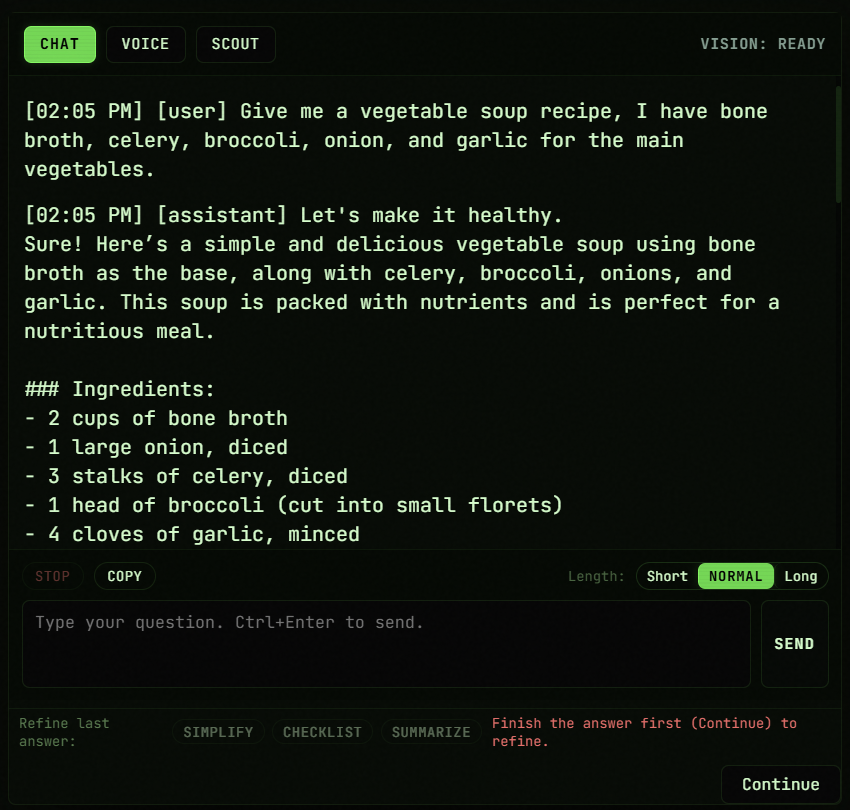
ChatFull desktop app, tabs for chat, voice, SCOUT. Drop an image into any chat turn and the model reads it, no mode switch required.
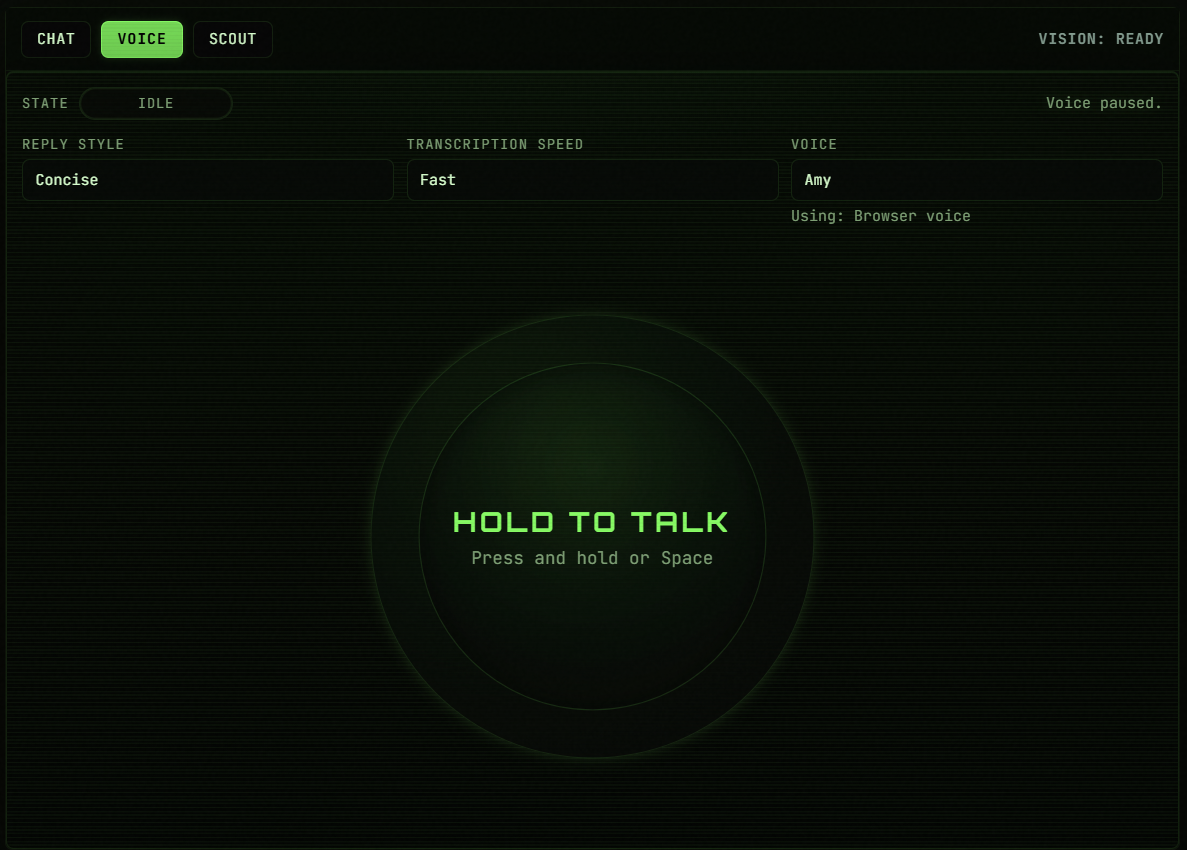 Voice
VoicePush-to-talk voice mode with adjustable transcription speed and reply style. Kokoro TTS runs on GPU via DirectML on Windows for fast, fully offline replies.
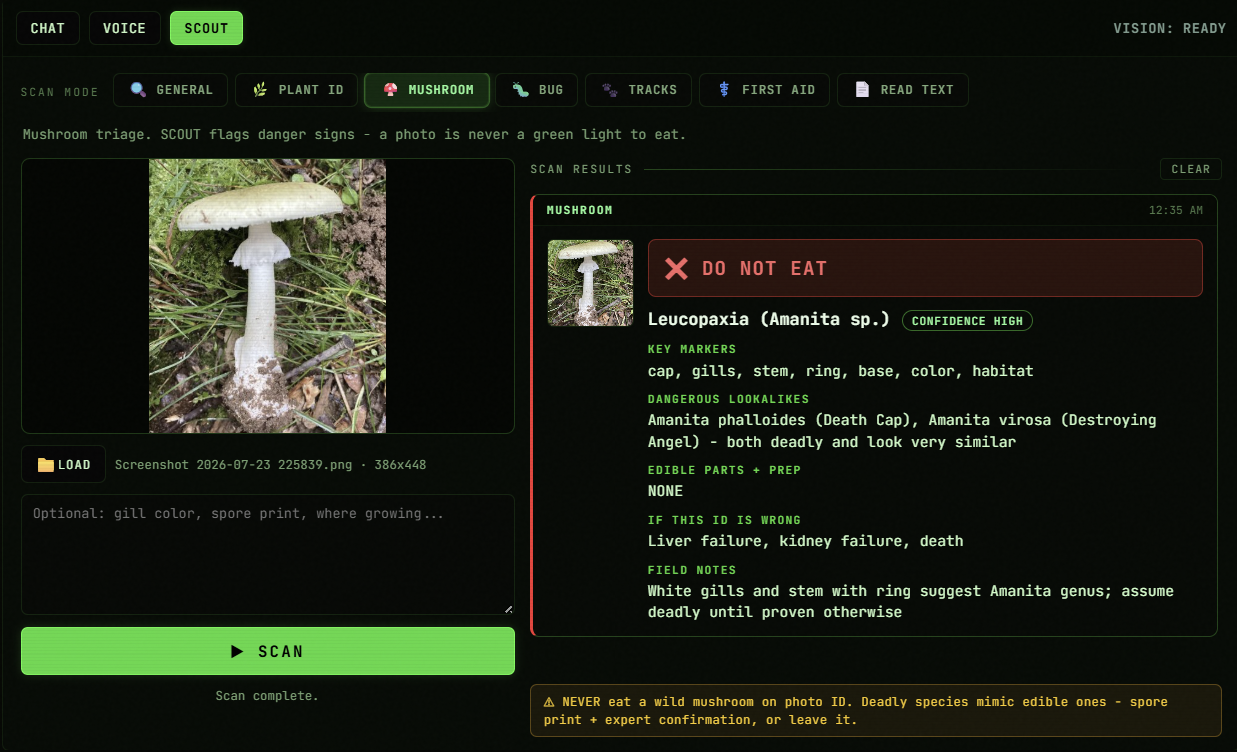 SCOUT · Mushroom
SCOUT 1.8.0 in Mushroom mode. A white Amanita comes back DO NOT EAT with key markers, deadly lookalikes, and the exact stakes if the ID is wrong. All from the model on your USB.
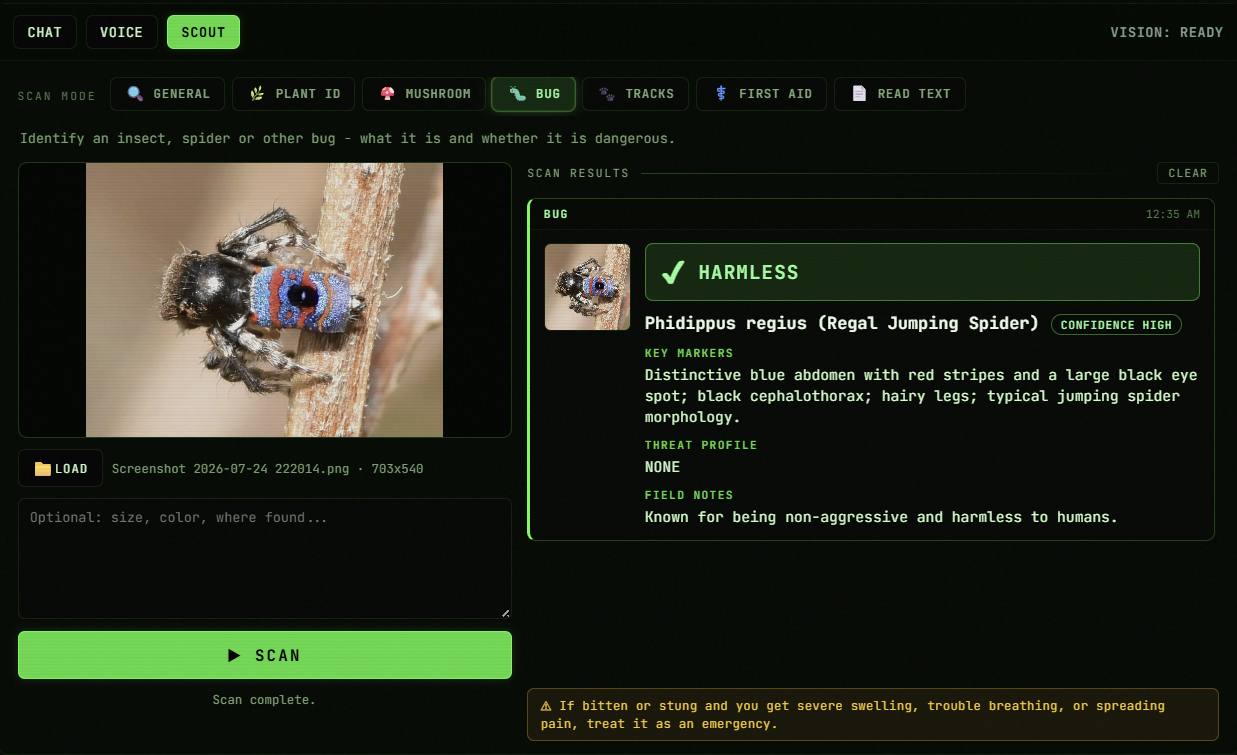 SCOUT · Bug
Bug mode calls a regal jumping spider HARMLESS with high confidence: distinctive markers, threat profile, field notes. Seven field modes, one scan button.
 SCOUT · Plant ID
Plant ID flags stinging nettle with CAUTION: edible after thorough cooking, with lookalikes and an if-this-ID-is-wrong line. A photo is never a green light to eat.
 Model Manager
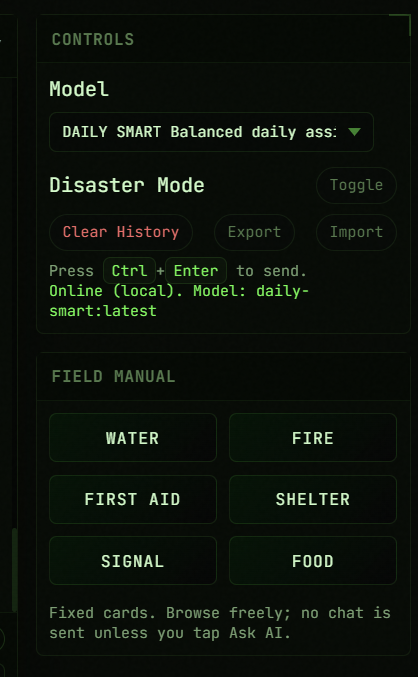
In-app Model Manager lists installed models, disk usage, and lets you pull any Ollama-registry model with a live progress bar. Delete gated by confirm.
 Phone Access
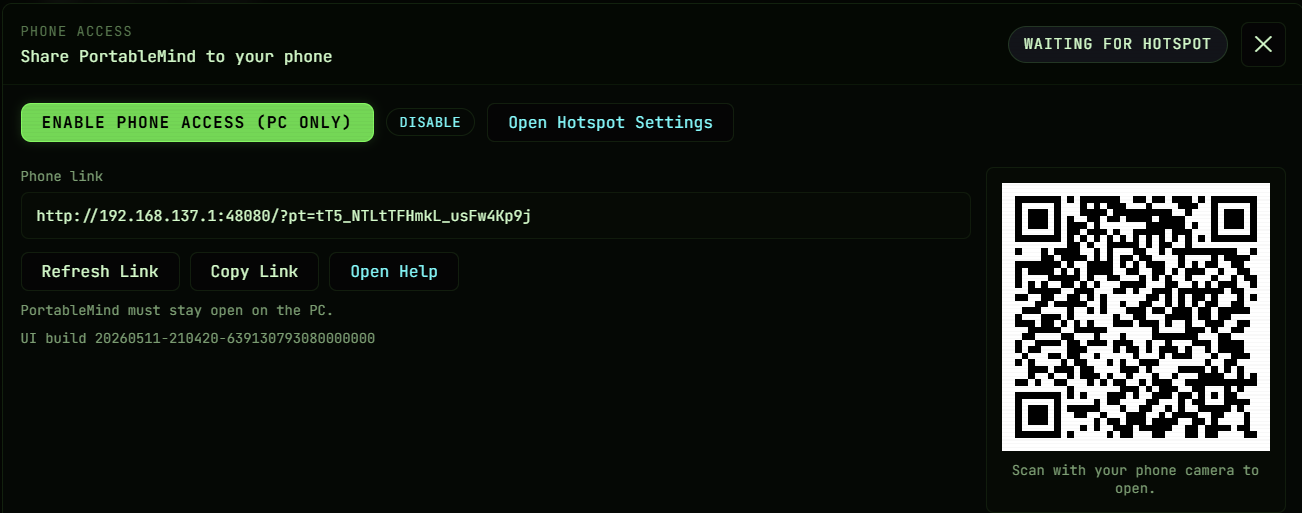
Use your phone as a second screen for PortableMind. PC hosts a hotspot, phone scans the QR, still air-gapped from the public internet.
 Faster performance
1.8.0 runs the whole stack faster and uses your VRAM and CPU more fully, adapting model routing and context sizing to your machine in real time. Every answer is still 100% local.
Built to stay stable offline
Hardening in 1.8.0 is a deep stability sweep: crash fixes, leak fixes, and cleaner error recovery across the chat, voice, and SCOUT pipelines, on top of the 1.7.1 hardening line. File custody stays intact with AES protection on packs. Offline stays the default.
How you get it
New units ship with 1.8.0
Every PortableMind USB leaving the shop is preloaded with Firmware 1.8.0, voice, SCOUT Vision, phone access, the desktop-app launcher, and all current presets. Plug in and you're on the latest build.
Optional update packs
Existing owners can apply an update pack when ready. Your previous firmware keeps running offline until you switch. No pressure, no forced updates.
Offline-first, with no telemetry
No cloud. No telemetry. Everything runs on your machine. Updates are optional, data stays on your drive, and the tools stay usable when everything around you is offline.